TL;DR
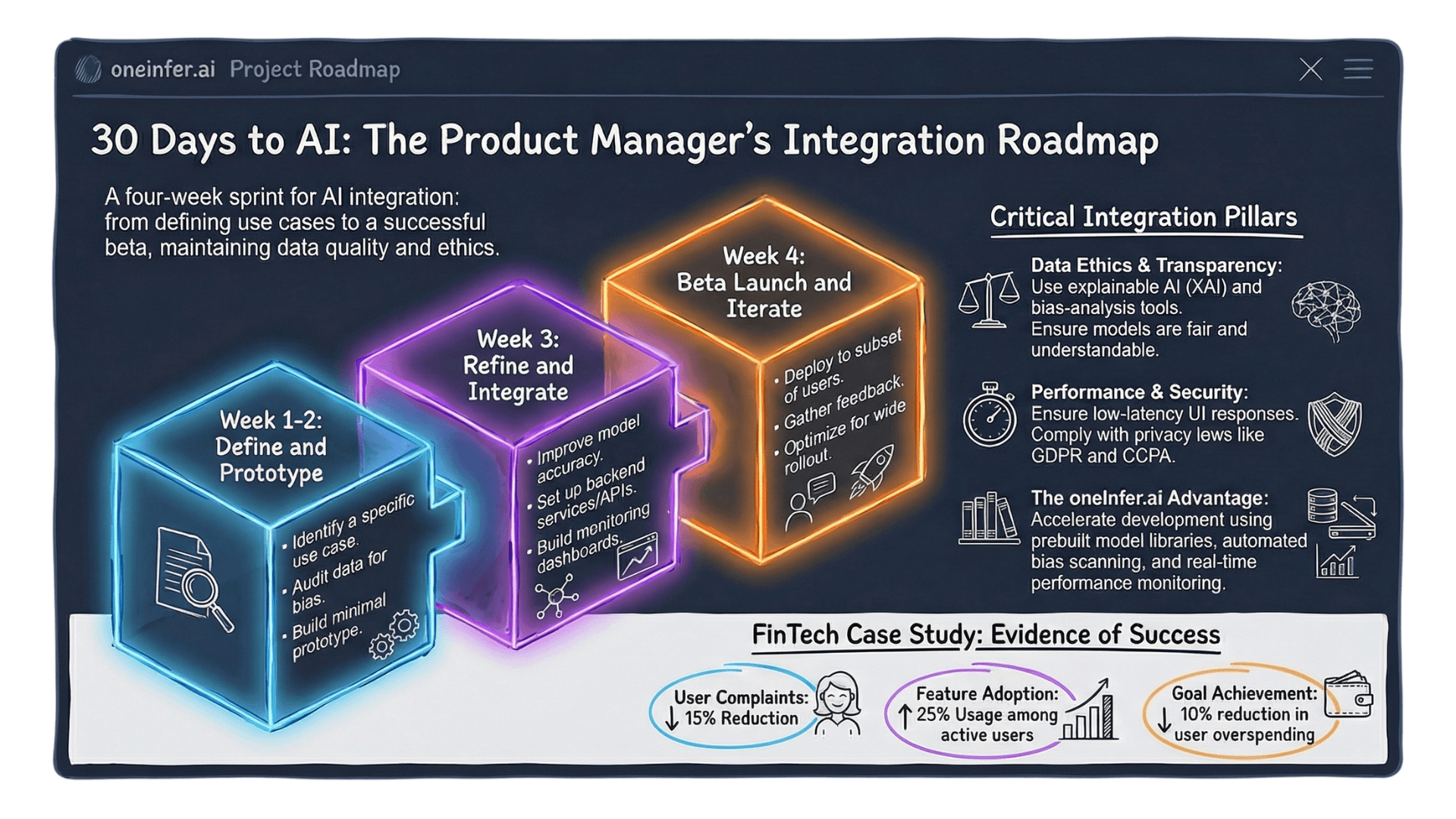
Ship a production AI feature in 30 days as a PM without an ML team. Days 1–7: define the problem with a measurable metric. Days 8–14: prototype with a foundation model via OneInfer's unified API. Days 15–21: production-harden — load test, failure modes, cost monitoring, privacy, output baseline. Days 22–30: launch to 10–20% beta cohort, measure, iterate. The 30-day target is the right scope for validating value before deeper investment.
Why 30 Days Is the Right Horizon
AI feature development has historically required long timelines because teams built infrastructure from scratch. That constraint no longer exists.
The current generation of AI inference APIs — OneInfer's unified API, Together AI, Replicate — provides production-grade serving behind a single API call. Any team that can make an HTTP request can integrate a production AI feature without managing GPU infrastructure.
The 30-day constraint is not optimistic. It's the appropriate scope for validating value before deeper infrastructure investment. Build for learning first, optimize for scale second.
Days 1–7: Define the Problem With Precision
The single biggest reason AI features fail is vague problem definition. "Add AI to our search" is not a problem statement. "Reduce zero-result search queries by 40% using semantic similarity matching" is.
Answer three questions:
- 1What user behavior are you trying to change, expressed as a measurable metric?
- 2What relevant data do you have available?
- 3What does a minimally useful AI output look like?
For data quality: run a bias audit. Skewed distributions produce models that work in testing and fail in production on user segments that matter most. IBM's AI Fairness 360 provides open-source tooling.
Days 8–14: Build a Minimal Working Prototype
Goal of week two: working prototype a real user can interact with — not polished, but functional and feedback-generating.
Start with the simplest model that could plausibly solve your defined problem. For most product AI features in 2026, use a foundation model accessed via API. Custom training is a week-three or week-four decision if foundation proves insufficient.
OneInfer's serverless inference gives immediate API access to Llama 3, GPT-4o, Claude 3.5 Sonnet, Mistral Large under a single OpenAI-compatible endpoint. Switch models with a parameter change.
Build UI mockup in parallel. Get a clickable prototype in front of at least five real users by end of week two.
Days 15–21: Production-Harden the Feature
Five production-hardening requirements that cannot be skipped:
- 1Latency testing under realistic load. Locust with realistic traffic patterns.
- 2Failure mode handling. Define explicit fallbacks for unexpected output formats, timeouts, adversarial inputs.
- 3Cost monitoring. Instrument every AI call with feature name, user tier, token counts. Helicone adds this with minimal integration.
- 4Privacy and data handling. GDPR, CCPA, HIPAA compliance documented before launch, not after audit.
- 5Output quality baseline. Document what "good enough" looks like — your regression protection.
Days 22–30: Launch, Measure, and Iterate
Limited beta — 10–20% of user base. Real usage data at meaningful scale without exposing the full base to unproven feature.
Track in week one: adoption rate among exposed users, task completion rate, satisfaction vs non-AI version, cost-per-active-user, error rate and latency under real traffic.
Within first week of beta, you'll see patterns invisible in prototype: segments adopting differently, edge cases testing missed, latency under real traffic, unexpected use patterns suggesting extensions.
Iterate on two things in parallel: product interaction layer, which improves adoption, and model configuration, which improves quality and cost.
By day 30: beta feature with measurable adoption, clear quality baseline, prioritized list of three highest-impact improvements for the next sprint.
The 30-day horizon isn't about rushing. It's about learning fast enough to make good decisions about whether and how to invest more deeply. Visit oneinfer.ai or contact the team.
Run multimodal AI inference at production scale
OneInfer routes every request to the optimal GPU across multiple cloud providers in real time, with sub-500ms latency, AI-generated kernel optimization, and transparent pricing.
Frequently Asked Questions
+Can a PM ship a production AI feature in 30 days without an ML team?
Yes. With managed inference APIs like OneInfer's, you can integrate a production-grade AI feature in 30 days using foundation models accessed via a single OpenAI-compatible endpoint — no GPU infrastructure, no ML engineering team required.
+How do I define a good AI feature problem statement?
Express it as a measurable user behavior change: "Reduce zero-result search queries by 40% using semantic similarity matching." Vague statements like "add AI to search" produce vague features that can't be measured for success.
+Should I custom-train a model or use a foundation model API?
Start with a foundation model API. Custom training is a week-three or later decision if the foundation model approach proves insufficient — never a week-one assumption. Most product AI features in 2026 ship best on foundation models.
+What's the right beta cohort size for a new AI feature?
10–20% of your user base is the right starting point. It gives you real usage data at meaningful scale without exposing the full base to an unproven feature.
+What metrics matter for AI feature beta launches?
Adoption rate among exposed users, task completion rate for the AI-assisted task, satisfaction vs non-AI baseline, cost-per-active-user, and error rate / latency distribution under real traffic.