Code Plan
OpenClaw Integration
Complete OpenClaw setup guide with model switching, failover, skills, plugins, and troubleshooting for OneInfer.
This page follows the full OpenClaw flow from the reference guide and adapts key/provider settings for OneInfer.
Installing and Configuring OpenClaw
1. Get API Key
- Create or sign in to your OneInfer account.
- Create an API key from the API keys section.
- Make sure your account has an active plan or credits.
2. Install OpenClaw
Prerequisite: Node.js 22 or newer.
Installer Script (Recommended)
bash
# macOS/Linux
curl -fsSL https://openclaw.ai/install.sh | bash

# Windows (PowerShell)
iwr -useb https://openclaw.ai/install.ps1 | iex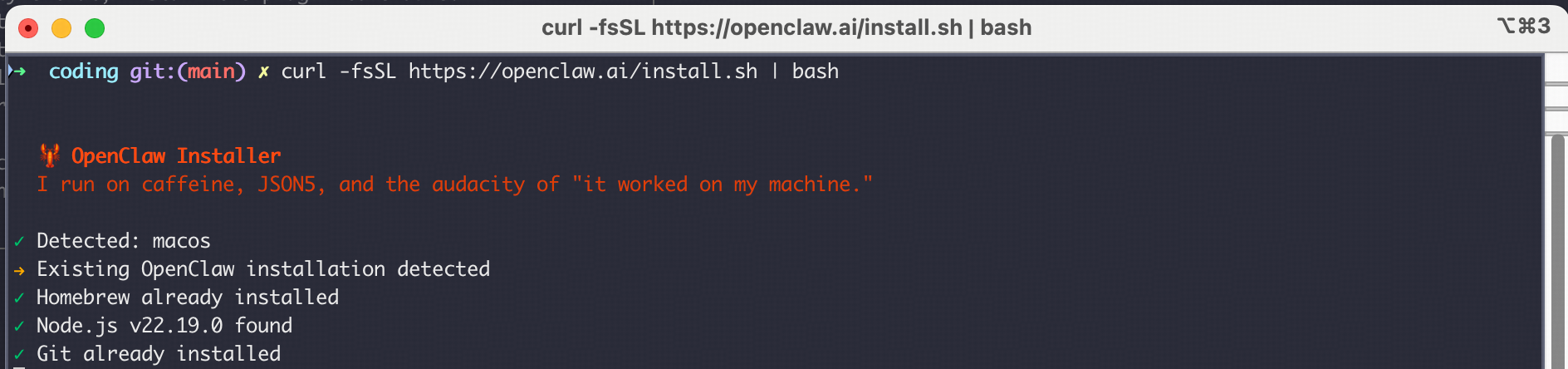
Global Install (Manual)
bash
npm install -g openclaw@latest

# or with pnpm (recommended)
pnpm add -g openclaw@latest
pnpm approve-builds -g
3. Setup OpenClaw
If onboarding does not auto-start:
bash
openclaw onboard --install-daemon

# If already initialized:
openclaw config
I understand this is powerful and inherently risky. Continue?→ YesOnboarding mode→ Quick StartModel/auth provider→ OpenAI-compatible / Custom
4. Configure OneInfer Provider
Use your OneInfer API key and OneInfer OpenAI-compatible endpoint:
json
{
  "env": {
    "OPENAI_BASE_URL": "https://api.oneinfer.ai/v1",
    "OPENAI_API_KEY": "<ONEINFER_API_KEY>"
  }
}
5. Complete Setup
- Select and configure required channels.
- Configure skills as needed.
- Finish onboarding.
6. Interact with Your Bot
Choose Hatch in TUI when prompted, then start chatting in terminal UI.
7. After Install
bash
openclaw --version
openclaw doctor
openclaw status
openclaw dashboard
Switching Model
If provider model selection does not switch correctly, edit ~/.openclaw/openclaw.json and set your desired default model.
json
{
  "agents": {
    "defaults": {
      "model": {
        "primary": "openai/gpt-4o-mini",
        "fallbacks": ["openai/gpt-4.1-mini"]
      },
      "models": {
        "openai/gpt-4o-mini": {},
        "openai/gpt-4.1-mini": {}
      }
    }
  }
}
bash
openclaw gateway restart
openclaw tui
Advanced Configuration
Model Failover
json
{
  "agents": {
    "defaults": {
      "model": {
        "primary": "openai/gpt-4o-mini",
        "fallbacks": ["openai/gpt-4.1-mini", "openai/gpt-4o-mini"]
      }
    }
  }
}
Skills With ClawHub
bash
npm i -g clawhub
clawhub search "postgres backups"
clawhub install my-skill-pack
clawhub update --all
Plugins
bash
openclaw plugins list
openclaw plugins install @openclaw/voice-call
openclaw gateway restart
Troubleshooting
Common Issues
- API key authentication: verify key validity and active credits/plan.
- Model availability: confirm model name and regional availability.
- Connection issues: verify gateway status and network access.
Resources
- OpenClaw docs:
docs.openclaw.ai - OpenClaw GitHub:
github.com/openclaw/openclaw - OneInfer docs:
oneinfer.ai/docs