Before you begin
Confirm that your selected GPU configuration has enough VRAM and storage for GLM-5.3. GPU instances are billed while they are running.
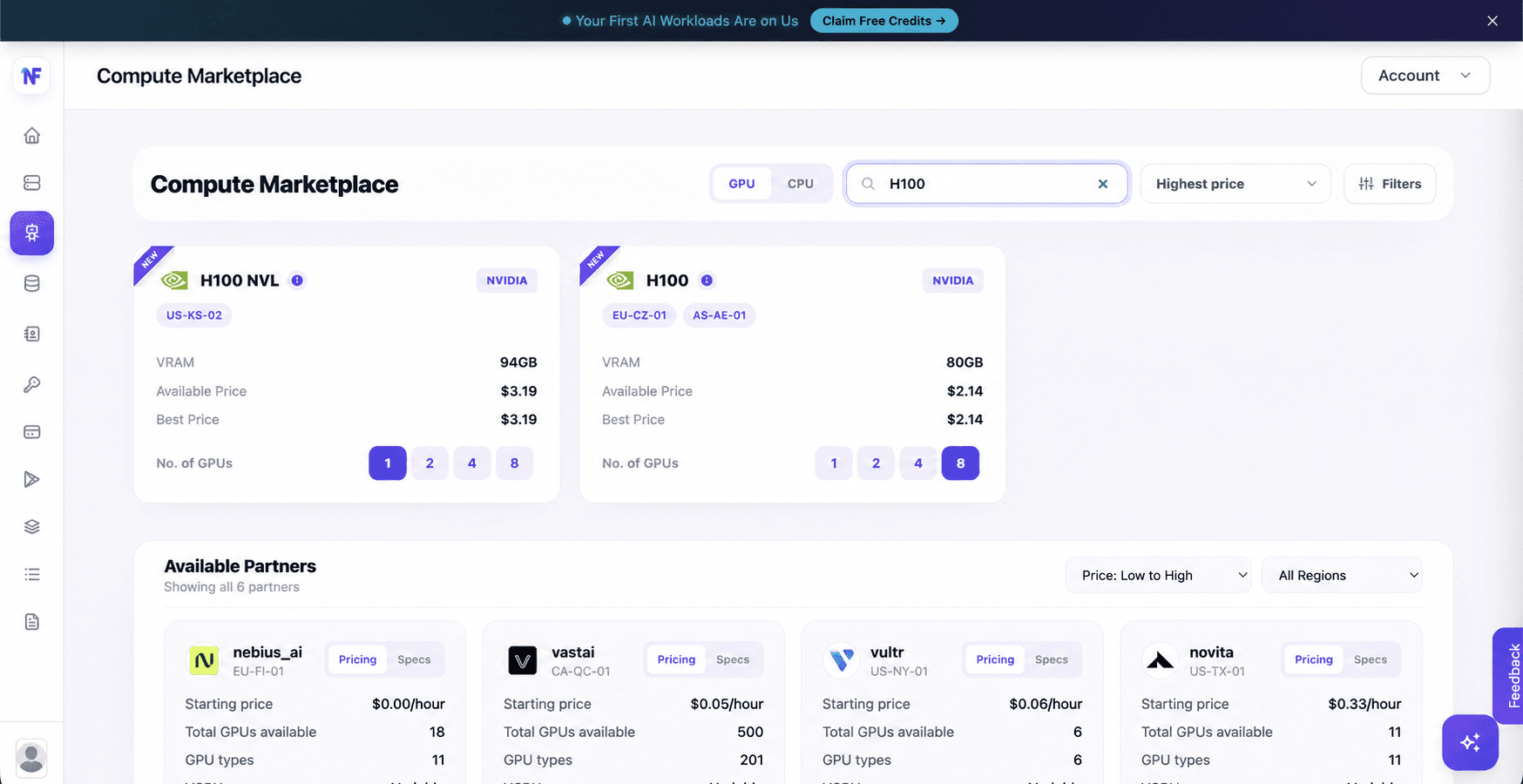
Select a GPU and provider
Open the Compute Marketplace, select a suitable GPU and cloud provider for your deployment, choose the required number of GPUs, and click Deploy.
Configure the GPU instance
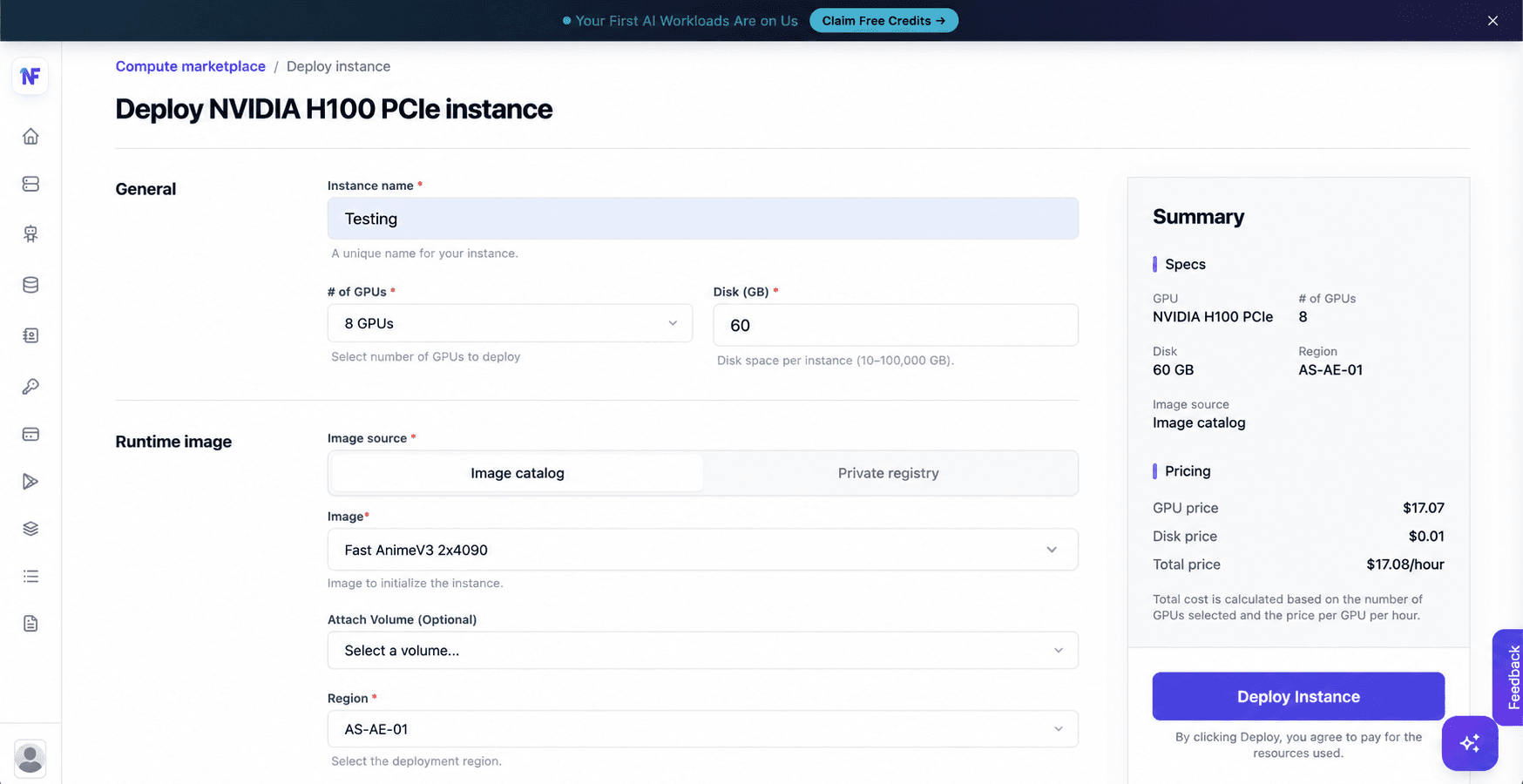
Enter the required instance details, including the instance name, number of GPUs, disk size, runtime image, and deployment region. Review the summary and hourly price before continuing.
- Instance name
- GPU count
- Disk and runtime image
- Deployment region
Add GLM-5.3 from Hugging Face
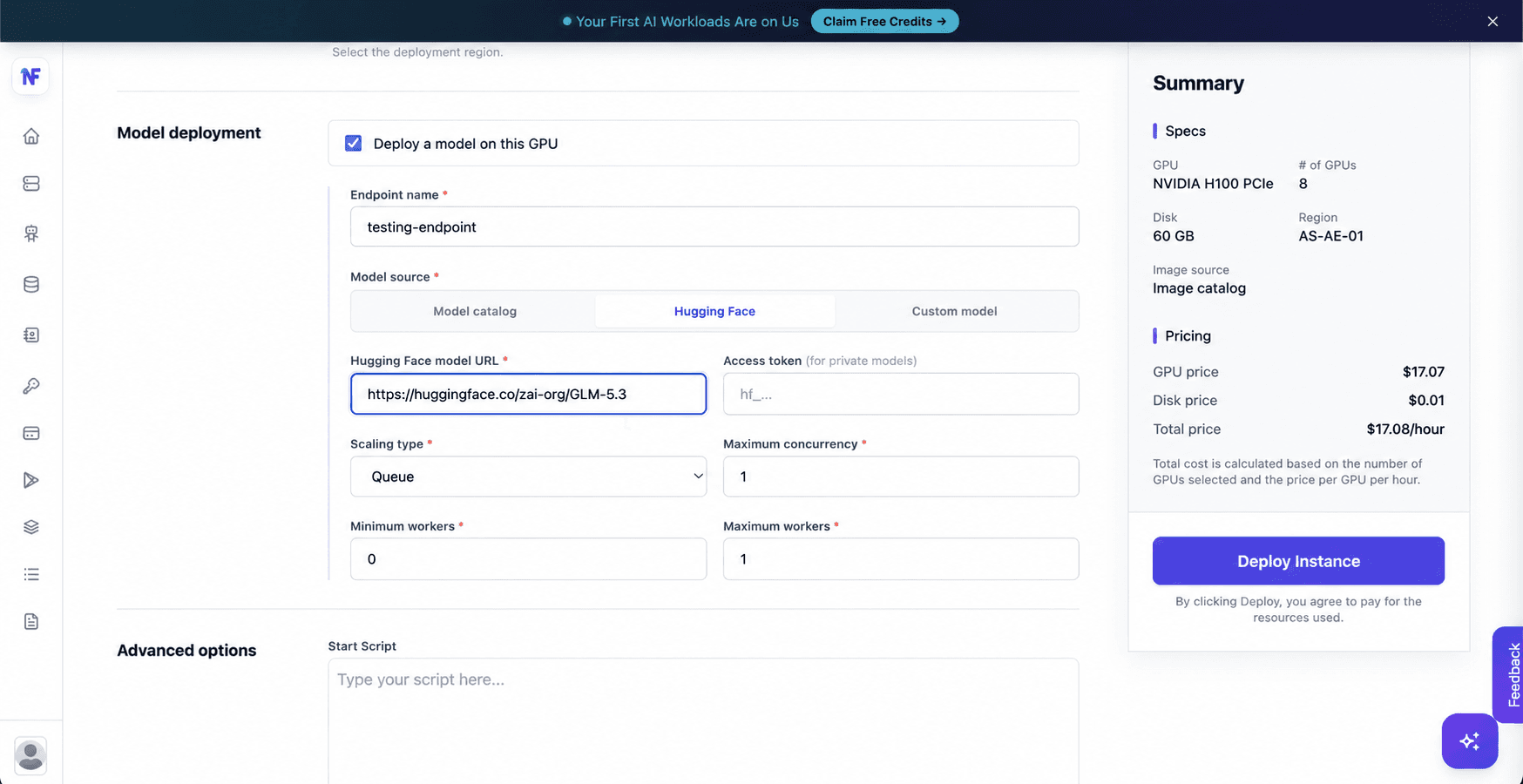
Select Deploy a model on this GPU. Enter an endpoint name, select Hugging Face as the model source, and enter https://huggingface.co/zai-org/GLM-5.3 in the Hugging Face model URL field.
Private repositories: If the model repository requires authentication, enter a Hugging Face access token with permission to download the model.
Deploy the instance
Review the GPU specifications, region, model settings, and estimated hourly price. When everything is correct, click Deploy Instance.
Deployment starts billable GPU resources. Verify the total hourly price before confirming.
Your model is deployed
Wait until the deployment status shows that the instance is ready. GLM-5.3 is now running on your GPU, and you can use the generated endpoint to send inference requests.